
Canceling traditional cable in favor of online streaming services is more than a passing trend — it's a long-term shift in how households access entertainment. Streaming has redefined convenience by offering expansive content libraries, personalized viewing and flexible pricing.
However, replacing cable requires thoughtful planning. You'll need to confirm channel availability, choose platforms that fit your budget and ensure your internet connection can support multiple users without lag.
With the appropriate setup, streaming can deliver a seamless, cost-effective experience that rivals conventional cable. Discover how to replace your cable with internet and streaming in this cord-cutting guide.
1. Assess Your Internet Connection
Frustration-free streaming requires a consistently high-quality connection. If your infrastructure is poor, you may experience buffering, lag or inconsistent performance, which can defeat the purpose of cord-cutting.
Pick the Right Speed
The correct internet speed allows you to match your usage patterns to your household's requirements. Start with these baseline guidelines.
- 25 Mbps: This speed is adequate for a single user or households that rarely overlap streams, typically watch standard-definition content or only have one primary streaming device in use at a time. However, increasing usage or adding devices can degrade performance.
- 300 to 500 Mbps: This range provides the necessary connection when several people simultaneously play online games or use smart home devices. It reduces contention between devices and supports multiple streams.
- 1 to 2 Gbps: Large households or tech-forward homes benefit from extra bandwidth, which allows for simultaneous streams and work-from-home video calls. It also prepares your network for future demand, including faster devices or increased smart home integration.
Fiber internet offers symmetrical speeds, meaning uploads and downloads are equally fast. That's a significant advantage for households that regularly participate in virtual meetings, share or back up large files or create and upload content.
Optimize Your Wi-Fi
Optimizing your home network ensures every device has access to the speeds you pay for.
- Central placement and mesh networks: Place your primary router in a central location to improve signal coverage. Mesh systems expand this coverage, creating a network of nodes that work together to reduce dead zones in larger homes.
- Room-by-room testing: Run speed tests in different rooms to identify weak spots. You can determine where to add mesh nodes or cable runs by testing upload and download speeds in each room.
2. Get the Necessary Equipment
Having the right devices ensures you maximize your network's capabilities and replicate, or even improve upon, the cable experience.
Use Your Smart TV First
If your home already has a smart TV, update the firmware to optimize performance and resolve security vulnerabilities. Next, install your favorite streaming apps, such as Netflix, Apple TV, Hulu, Disney+ or Amazon Prime Video.
Sign in to each platform and confirm its functionality. You can also play content at different resolutions, pause and scroll through menus to ensure responsiveness.
Streaming Devices
Older TVs or devices with sluggish performance may benefit from dedicated streaming hardware. These devices often provide smoother navigation, additional app support and better integration with voice assistants.
- Amazon Fire TV Stick or Cube provides a responsive interface and broad app compatibility. Alexa integration supports navigation and controls smart-home devices.
- Roku offers a consistent interface and robust app ecosystem, including access to niche streaming channels.
- Google Chromecast with Google TV is ideal for users in the Google ecosystem, with seamless casting from mobile devices and integrated voice controls.
- Apple TV is best for households invested in Apple's ecosystem because it provides integration with iCloud, AirPlay and HomeKit.
HDTV Antenna for Access to Local Channels
While streaming covers most content, you may want to retain local channels for news, sports and network shows. Installing an HDTV antenna gives you free access to local ABC, CBS, FOX and PBS affiliates, replicating or exceeding the selection previously available through cable. Antennas require a one-time investment and minimal maintenance, making them a budget-friendly complement to your streaming setup.
3. Choose Your Streaming Services
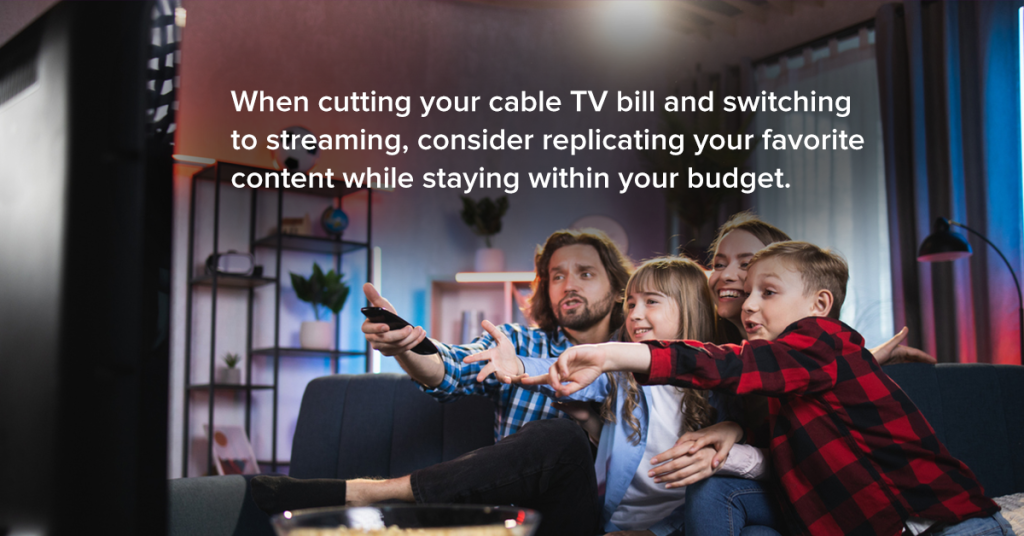
When cutting your cable TV bill and switching to streaming, consider replicating your favorite content while staying within your budget. Discover how to create a tailored and flexible setup.
On-Demand Services
On-demand services provide access to vast libraries of movies, shows and original content you can watch whenever you like. To maximize these, begin with one or two services. Overloading your setup with multiple subscriptions can become more expensive than cable, defeating the purpose of cutting the cord. For example:
- Netflix offers various movies, series and original content.
- The Amazon Prime subscription bundles an extensive on-demand streaming library through Prime Video.
- Disney+ is your source for family-friendly content and blockbuster franchises, including Star Wars and Marvel.
Consider pausing or canceling one service and switching to another on-demand provider once you've finished the movies or series you're most interested in watching. Some services allow multiple user profiles, making it easy to share a single subscription across household members while keeping recommendations personalized.
Livestreaming Services
Livestreaming services are an alternative to cable for households that still watch live TV. When evaluating these, consider channel selection, cloud digital video recorder capabilities, ad options and free trial availability.
- YouTube TV offers a broad range of channels, unlimited DVR storage and a user-friendly interface. Its flexible cloud DVR allows multiple users to access content simultaneously.
- Hulu + Live TV combines Hulu's on-demand content with live TV channels. Cloud DVR storage is unlimited, and ad skipping varies depending on the channel or show. Its on-demand integrations are advantageous if you already use Hulu extensively.
- Fubo is a platform designed with live sports in mind. It delivers an extensive lineup of sports channels plus general entertainment options.
Most livestreaming services offer free trials ranging from seven to 30 days. Take advantage of these to check local channel availability and evaluate user interfaces before making a commitment.
4. Calculate Your Savings
Determine the financial impact of cutting cable to clarify how much you could save. Creating a simple spreadsheet is one of the easiest ways to compare streaming vs. cable costs. Seeing the numbers side by side makes it easier to spot savings and choose a setup that fits your budget.
For current cable costs, include:
- Subscription fee before taxes and fees
- Broadcast and regional sports fees
- Equipment rental
- Taxes and surcharges
For new fiber internet plus streaming costs, factor in:
- Monthly fiber internet cost
- Selected on-demand and livestreaming subscriptions
- Cost of devices like streaming media players or antennas
The phenomenon called subscription creep — where small, recurring charges gradually add up — is a challenge for cable TV cord-cutters. Here are additional ways to cut your monthly bills and maximize savings.
- Track trials: Set reminders for trial expirations to avoid unwanted charges.
- Rotate services quarterly: Subscribe to one or two services at a time, switching to a different provider as desired.
- Use family plans: Some services allow multiple profiles or shared plans. Follow the terms to reduce per-person costs.
5. Cancel Your Cable Service
Once you've set up your streaming ecosystem and confirmed that your internet is up to the task, you can cancel your cable service. Before calling your provider:
- Check that your antenna receives your local networks.
- Test your livestreaming service to confirm your favorite channels are accessible.
- Make sure your new cloud DVR options meet your recording needs.
Return all equipment to your former provider in good condition, and always request a receipt or confirmation to avoid incurring expensive fees. Ensure there are no lingering charges, early termination penalties or additional, previously undisclosed surcharges.
Get Fiber Internet Connection for Streaming
Now that you've cut the cord, you need a reliable internet connection to enhance your streaming experience. With i3 Broadband's fiber internet, you can enjoy high speeds and flexible connectivity.
We offer no-risk trial connectivity. Enjoy no contracts, free installation, free activation and free tech visits. Our 30-day money-back guarantee and up to $300 contract buy-out credit make switching from another provider cost-effective and simple.
Enter your address to see if the i3 network is available in your area.
